Lens Demonstration
Designing an interactive 3D lens visualization experience
Scope
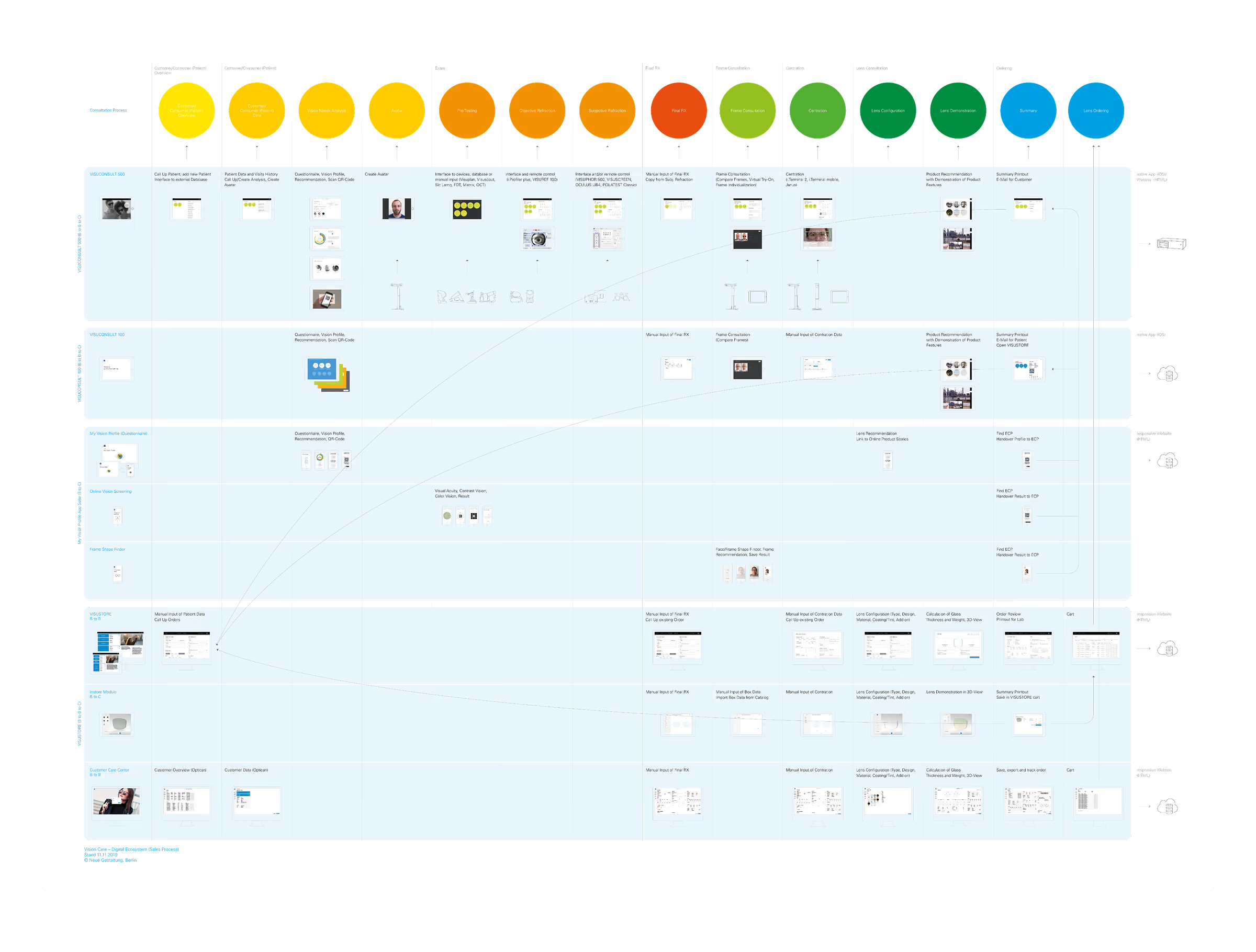
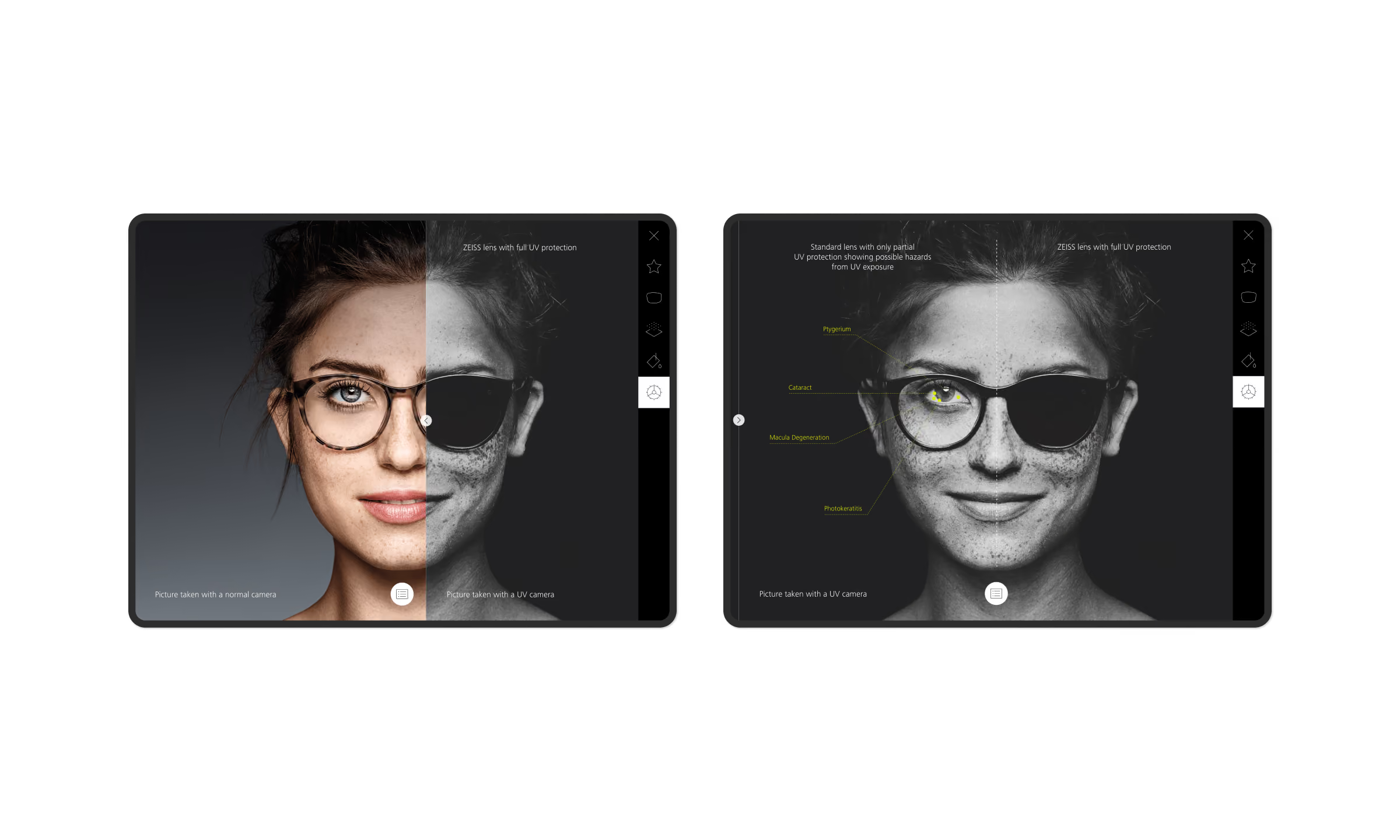
The scope was to extend the globally used ZEISS VISUSTORE application beyond its role as a back-office ordering tool by integrating an interactive lens demonstration and advisory tool for in-store consultations. The goal was to enable opticians to showcase lens options, specifications, and customizations more transparently and accurately through interactive 3D renderings, helping consumers better understand their options before placing an order.
By leveraging the tablets already used during consultations, the solution aimed to bridge the gap between technical product information and the real-life customer experience — from visualizing lens thickness for high prescriptions to exploring tints and other lens enhancements within a frame. This would empower consumers to make more informed decisions while elevating the in-store consultation through greater transparency, personalization, and the precision associated with ZEISS.
Structure Tree for VISUSTORE Instore Module

Exploration in Hi-Fi Wireframes
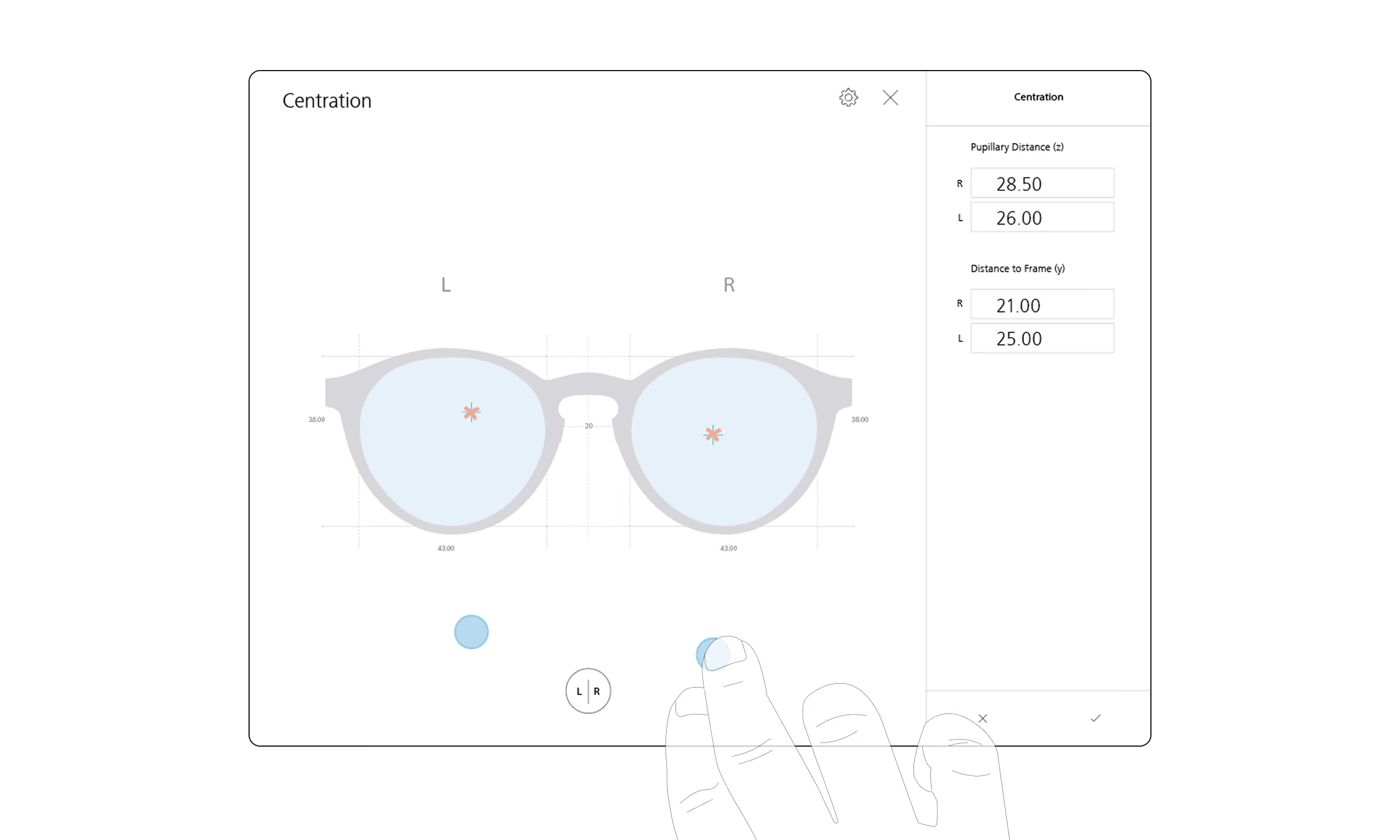
Exploration of Interactive Parameter Configuration
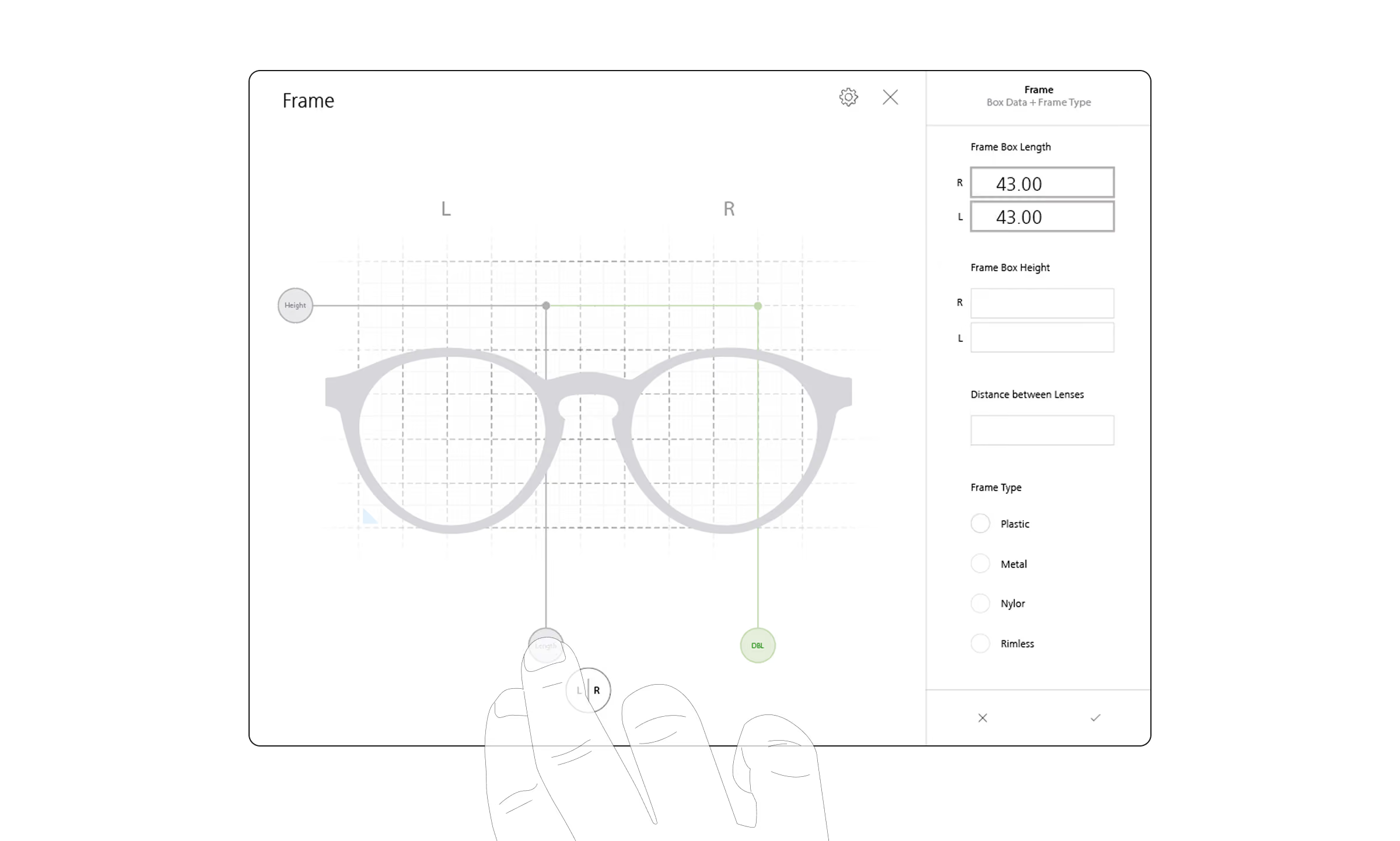
Exploration of Interactive Parameter Configuration
Process
Research & Concept
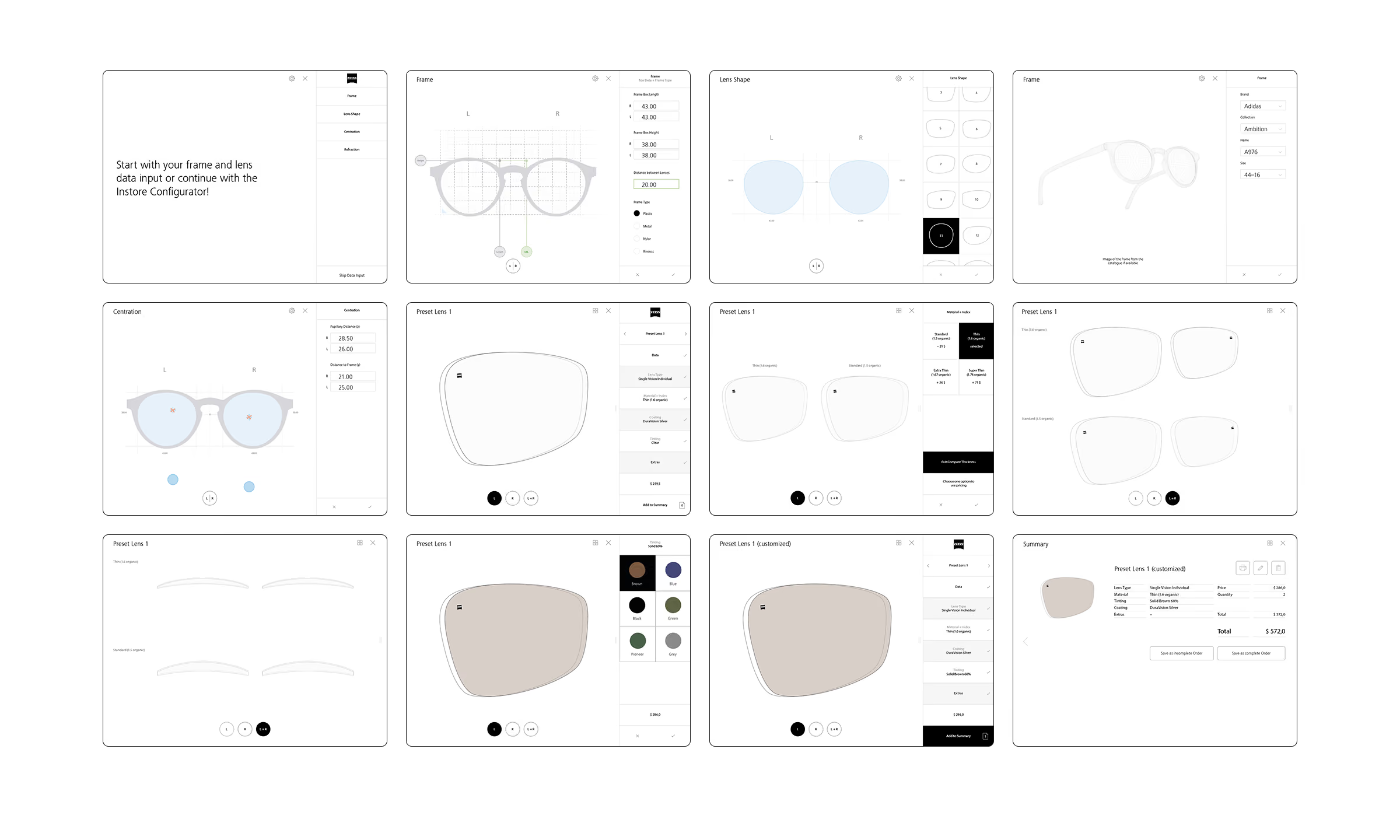
My colleague and I began with extensive field research to understand opticians’ workflows and consultation needs. In close collaboration with ZEISS, we defined the requirements and tool structure, then iteratively developed wireframes and screen flows, focusing on key interactions such as lens and parameter configuration.
A key design priority was to make data entry as fast and seamless as possible. We therefore supported both manual and, in particular, touch-based input to minimize time spent interacting with the tablet, keep opticians focused on their customers, and maximize the available screen space by avoiding on-screen keyboards. Streamlining the input process was essential to getting users to the core experience — lens configuration, product consultation, and upselling — as quickly as possible. At the same time, accurate parameter input was crucial to generating precise 3D lens renderings.
Interactive Prototype for User Tests with Opticians
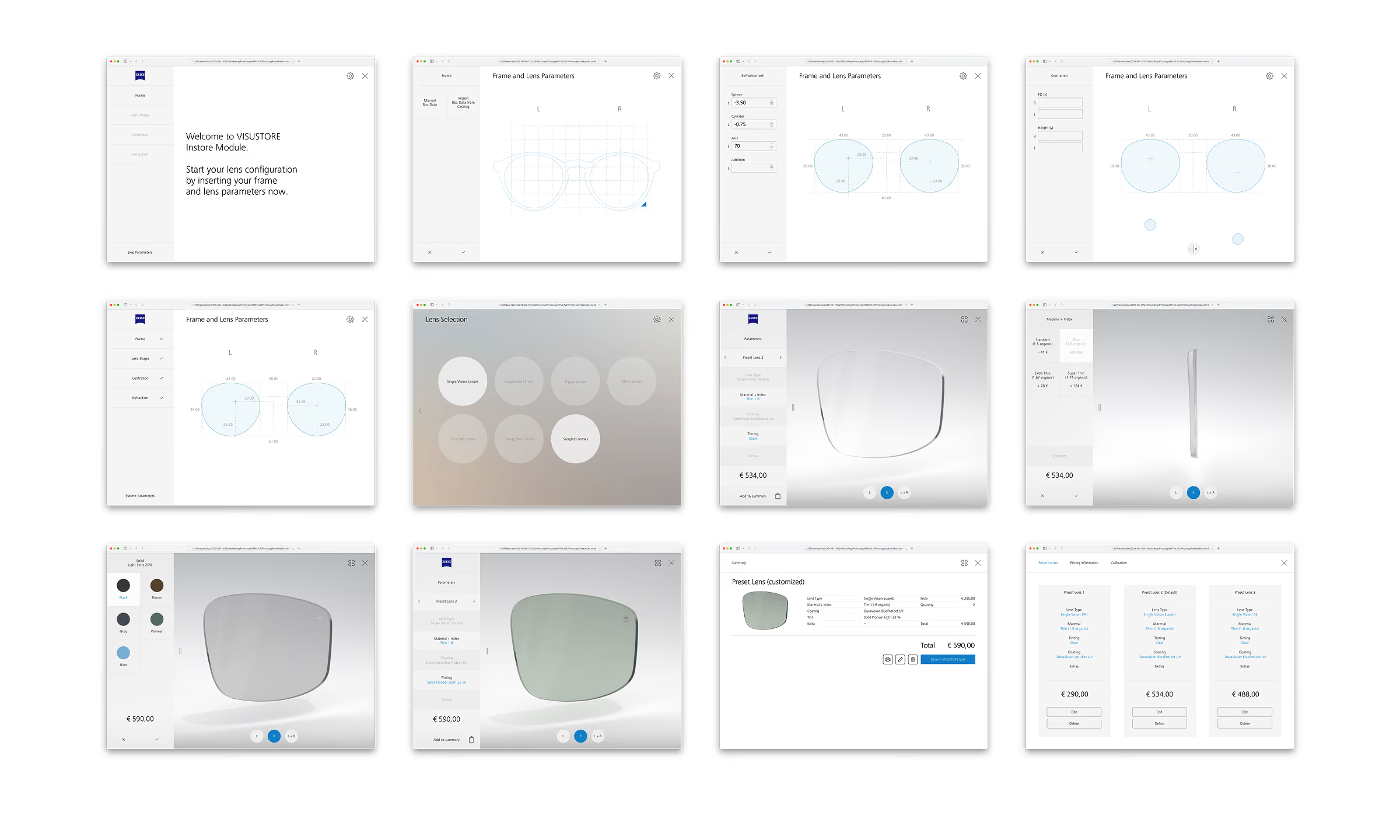
Process
Prototype & User Tests
To keep the first MVP focused, we prioritized and streamlined the core functionalities, leaving room to expand the tool in later iterations. We then built an interactive prototype using Hype and tested it with several ZEISS opticians. Their feedback provided valuable insights that helped us validate our approach, refine the concept, and further improve the designs.
Exploration of 3D lens renderings
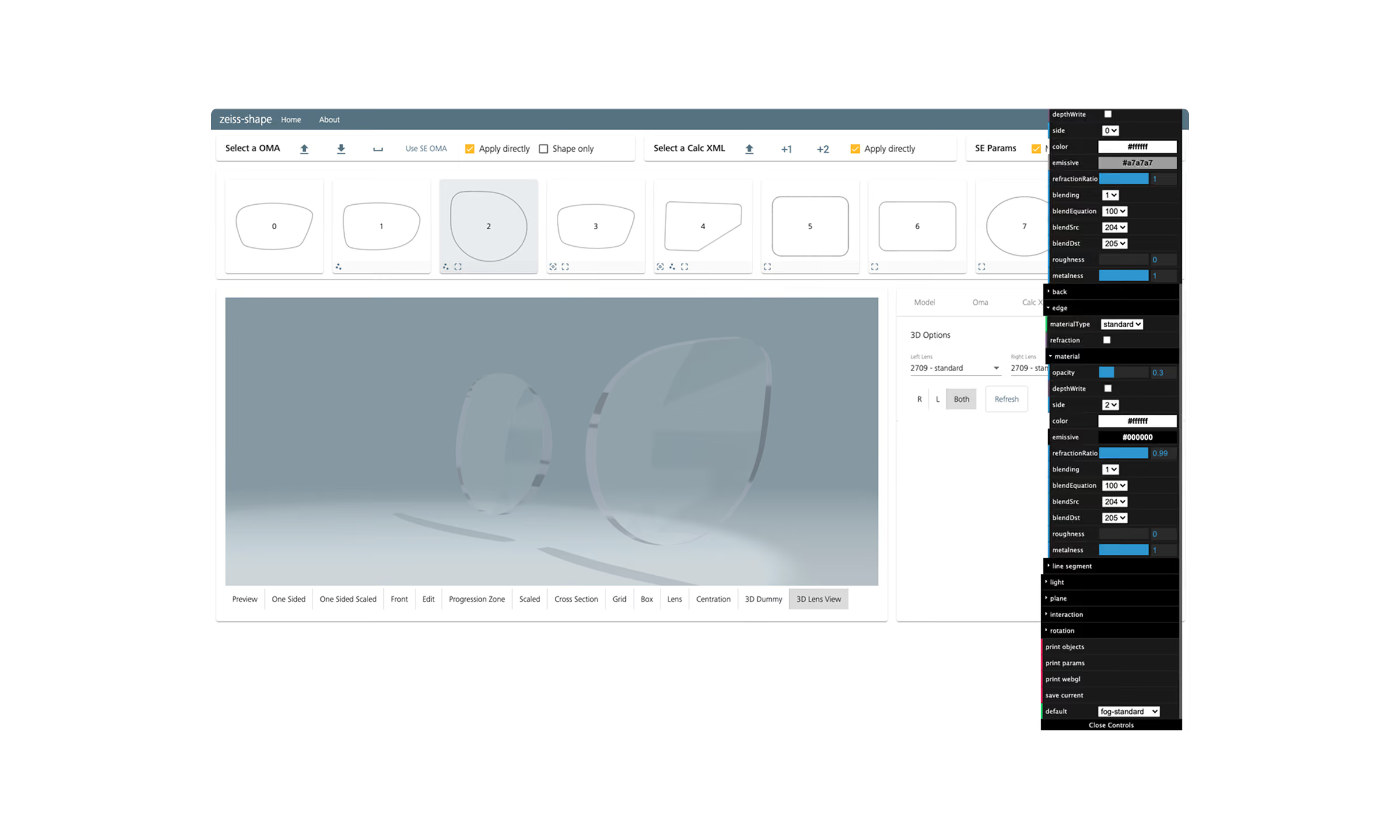
Exploration of 3D lens renderings
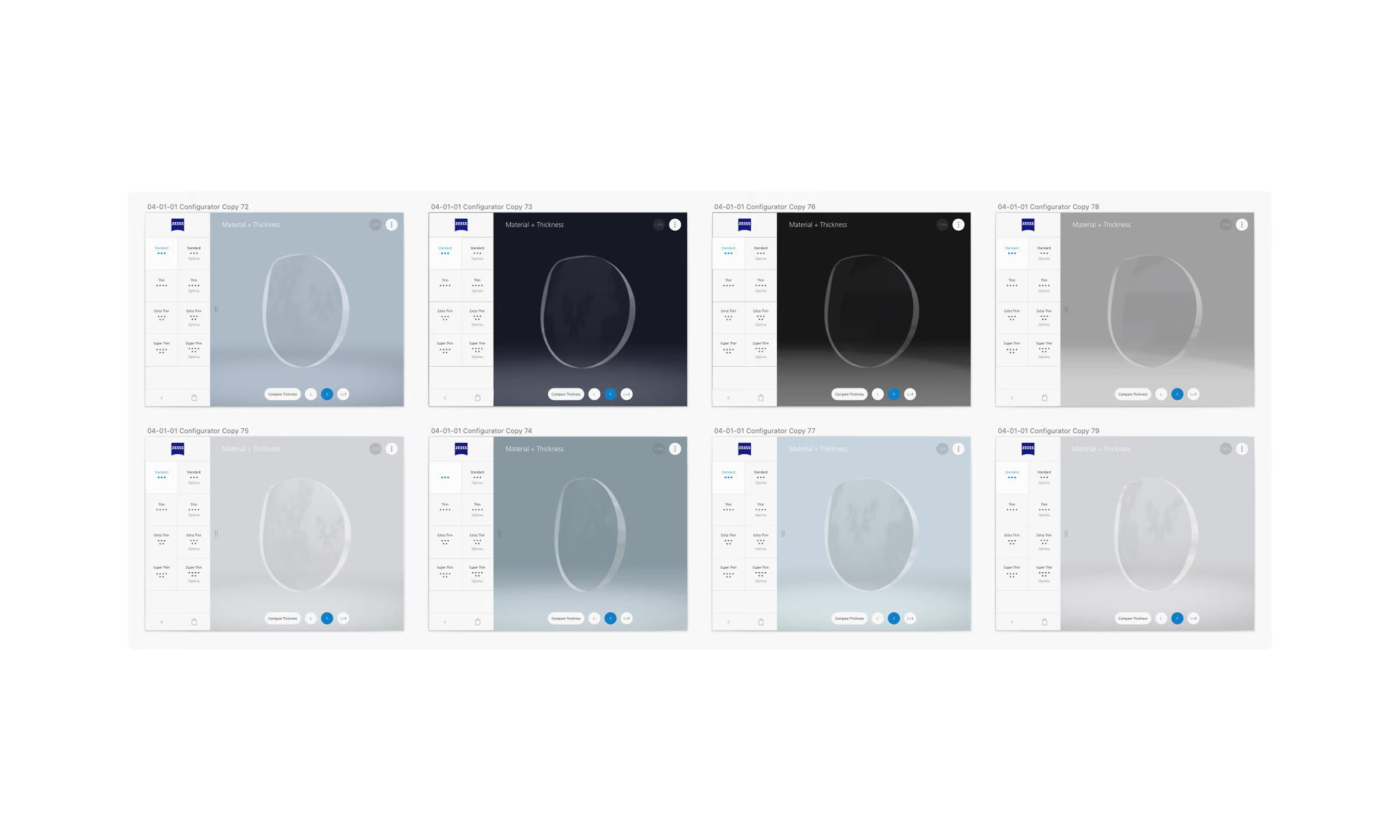
Exploration of 3D lens renderings
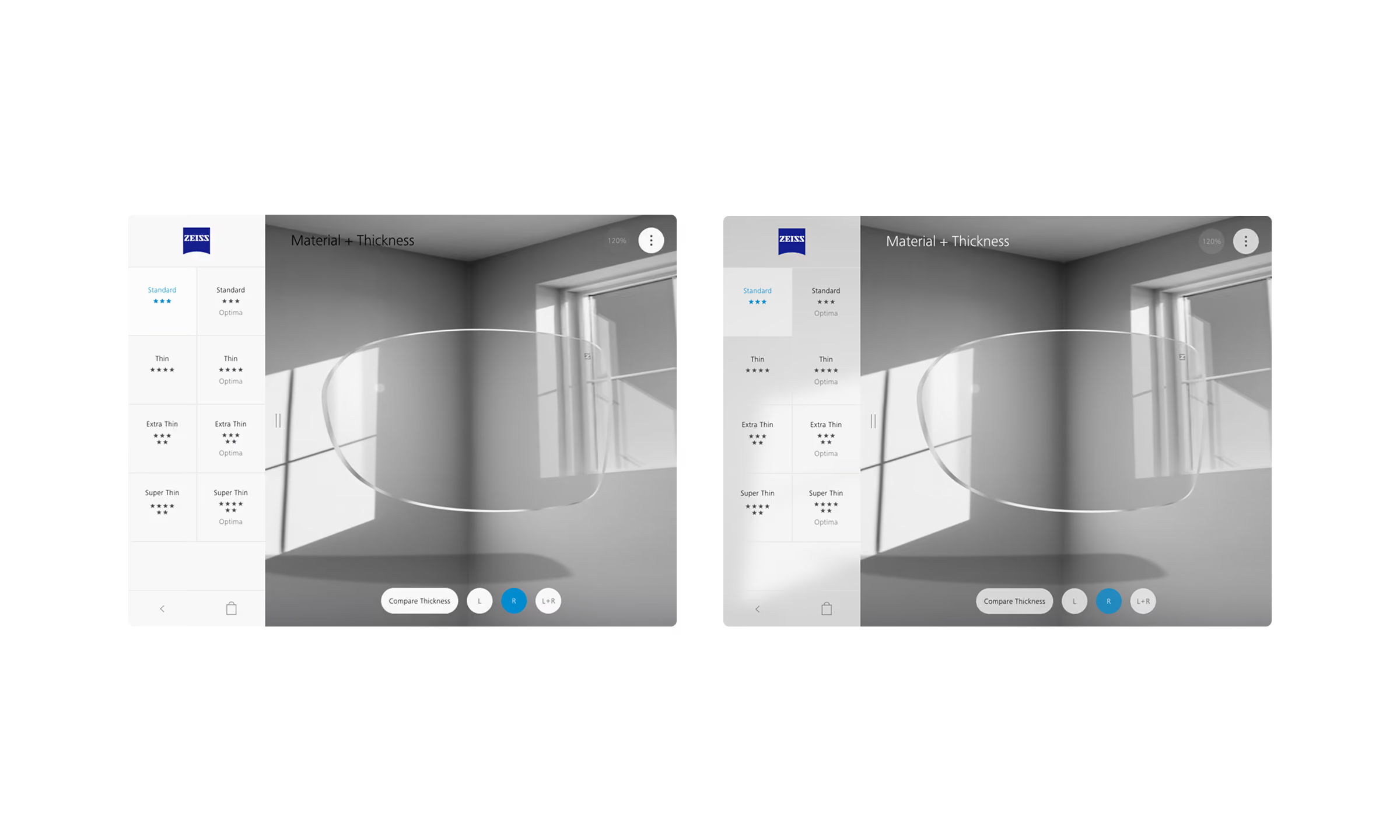
Process
Design & Renderings
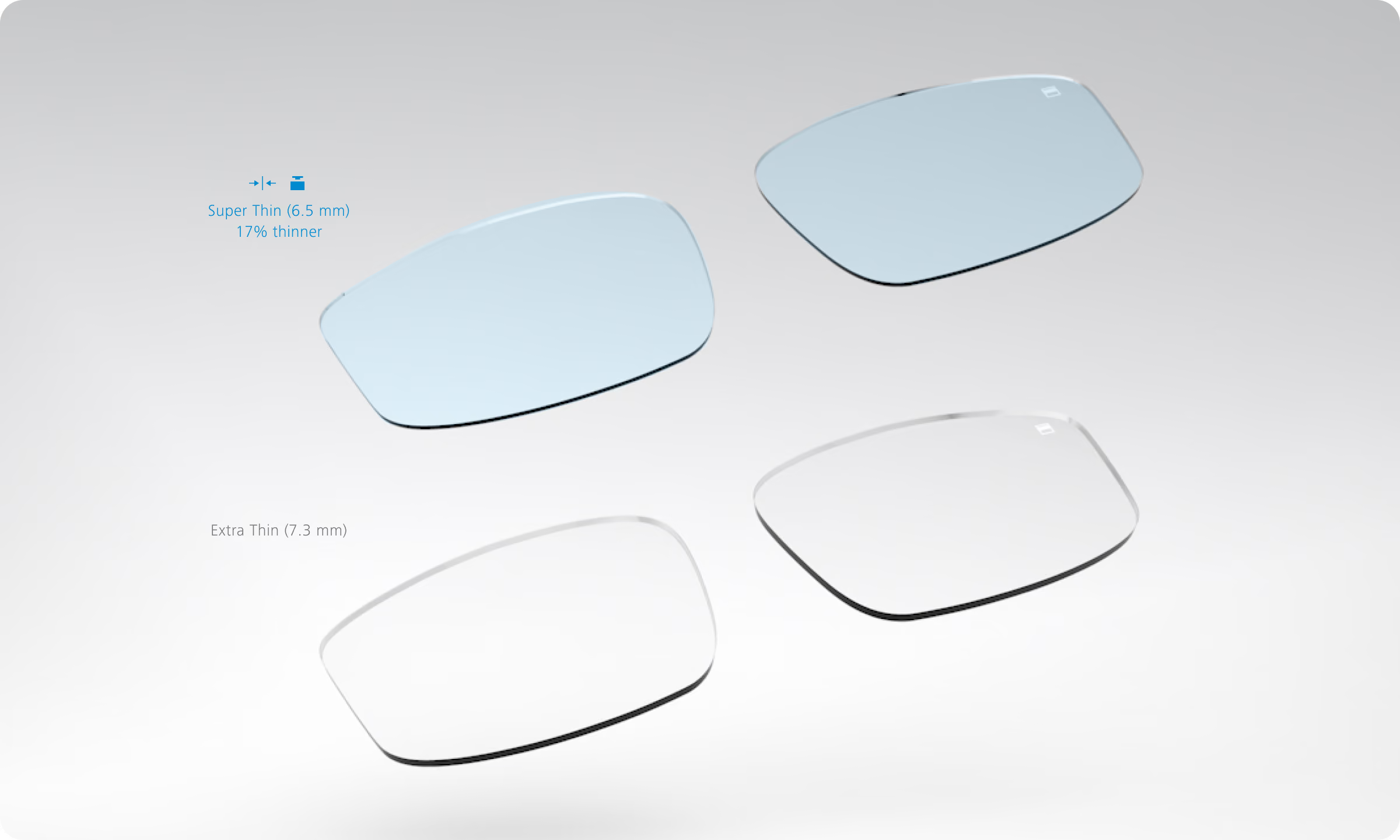
In parallel, we explored different approaches to 3D lens visualization, testing, evaluating, and refining the renderings to achieve the best possible visual quality, smooth interactions, and flexibility. The goal was to accurately demonstrate a wide range of lens characteristics and customization options, including thickness, tints, and coatings.
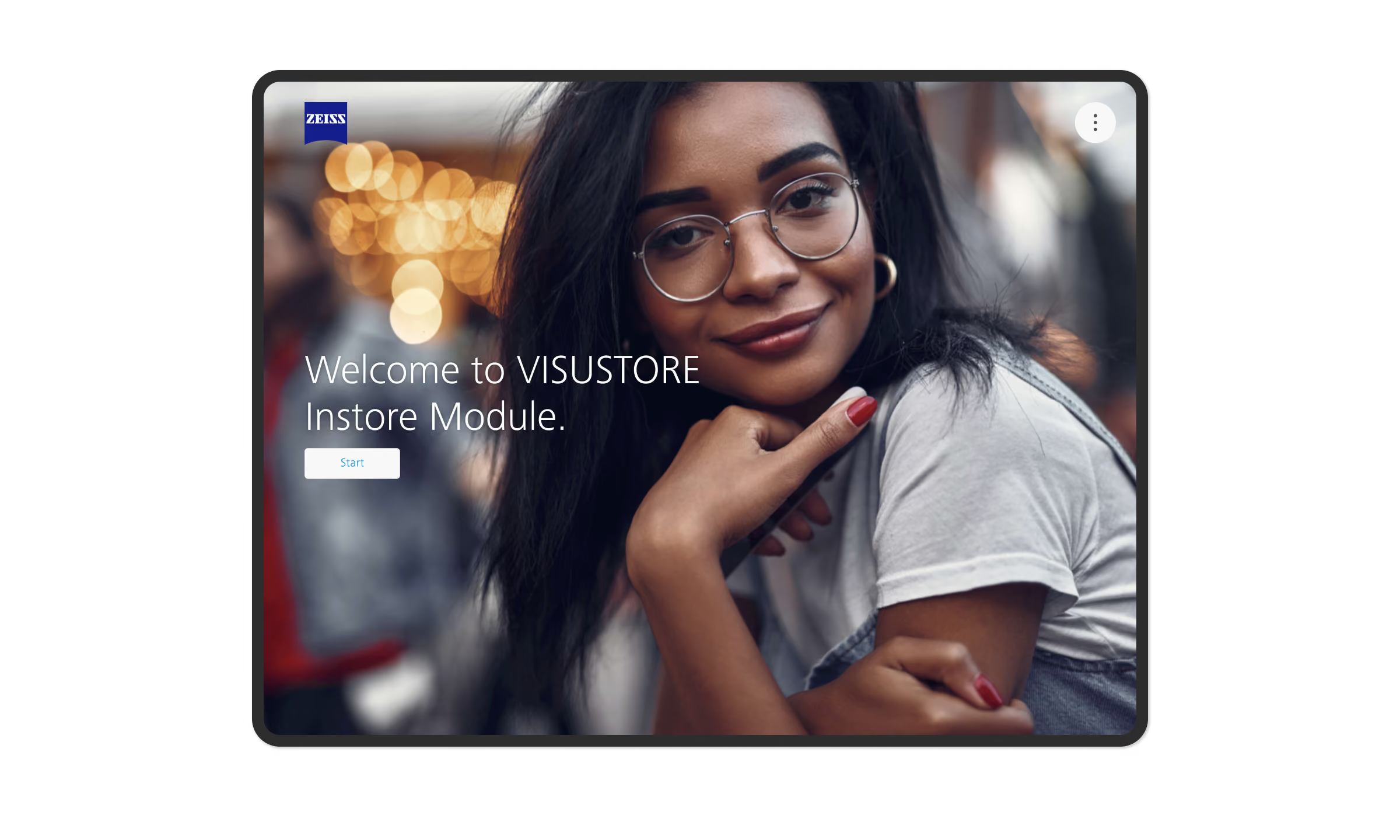
Final Designs — Start Screen
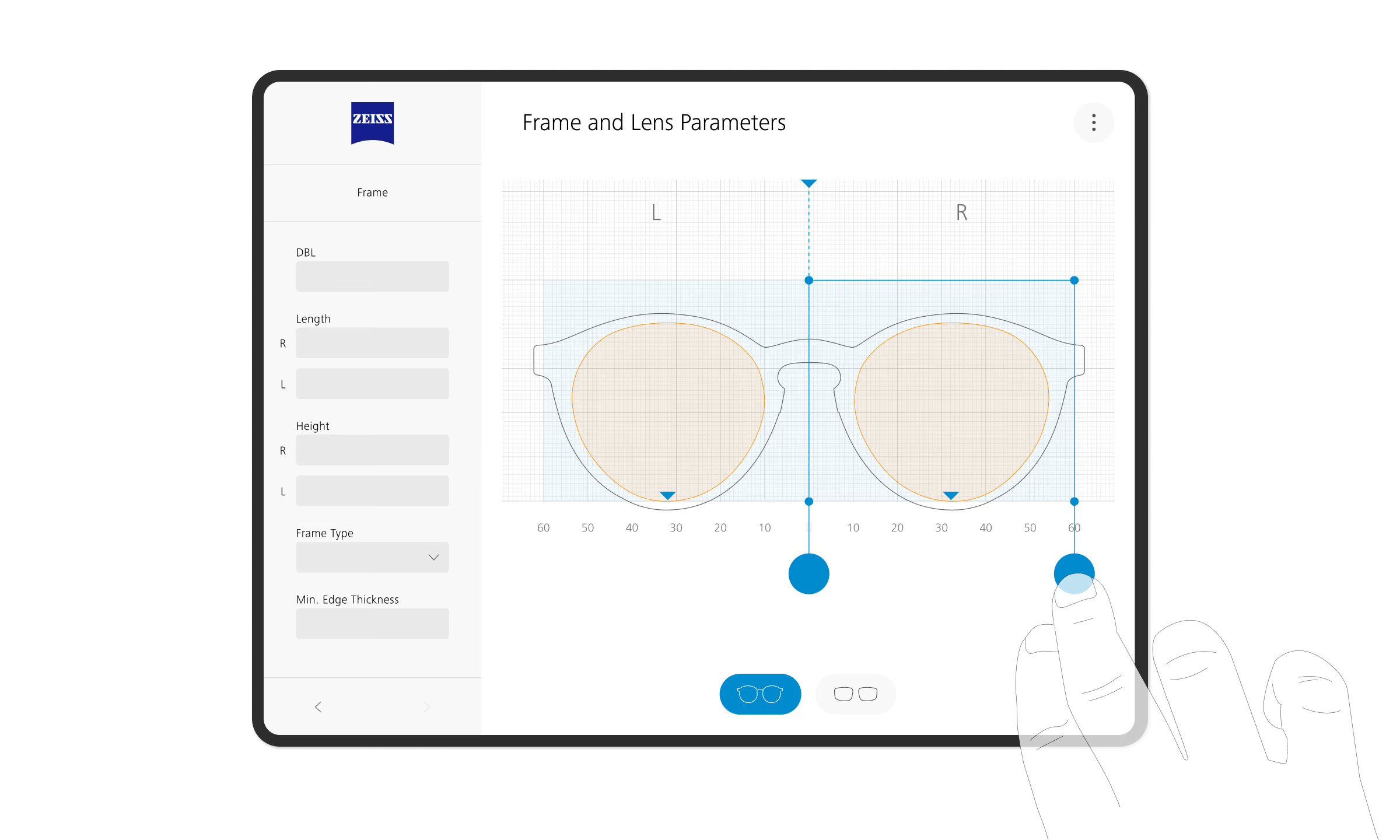
Interface Evaluation of Current Platform
Interface Evaluation of Current Platform

Interface Evaluation of Current Platform
Interface Evaluation of Current Platform
Interface Evaluation of Current Platform

Interface Evaluation of Current Platform
Solution
Lens Parameter
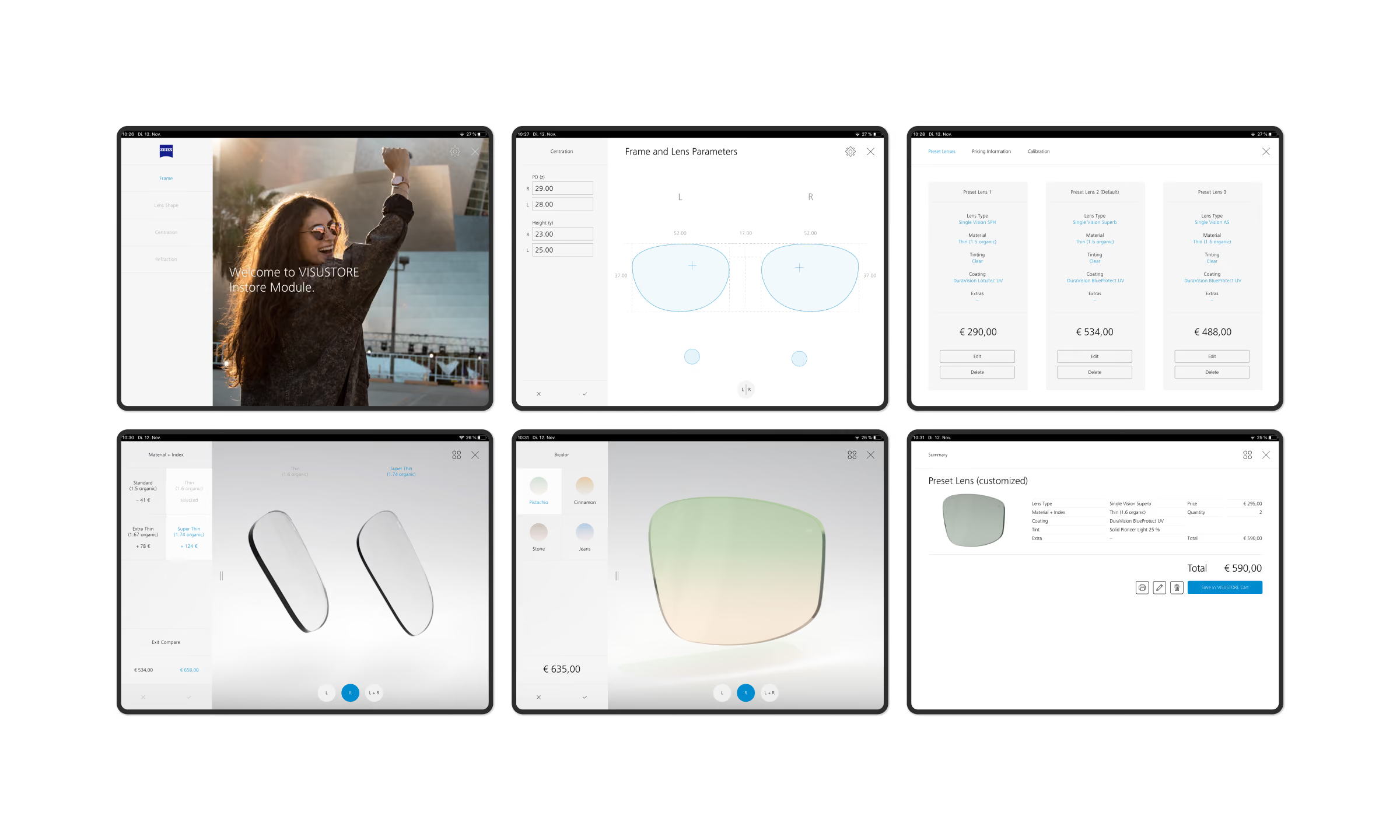
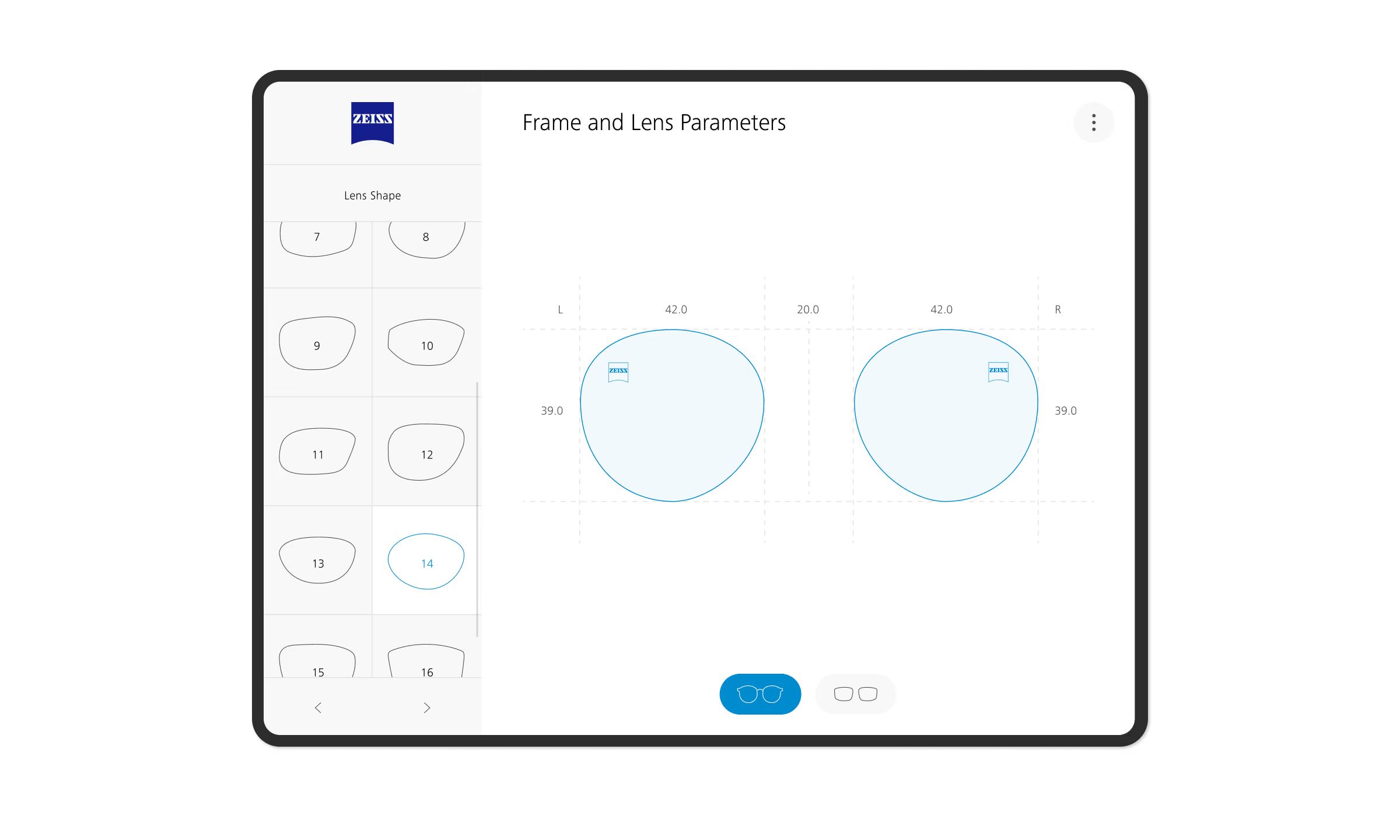
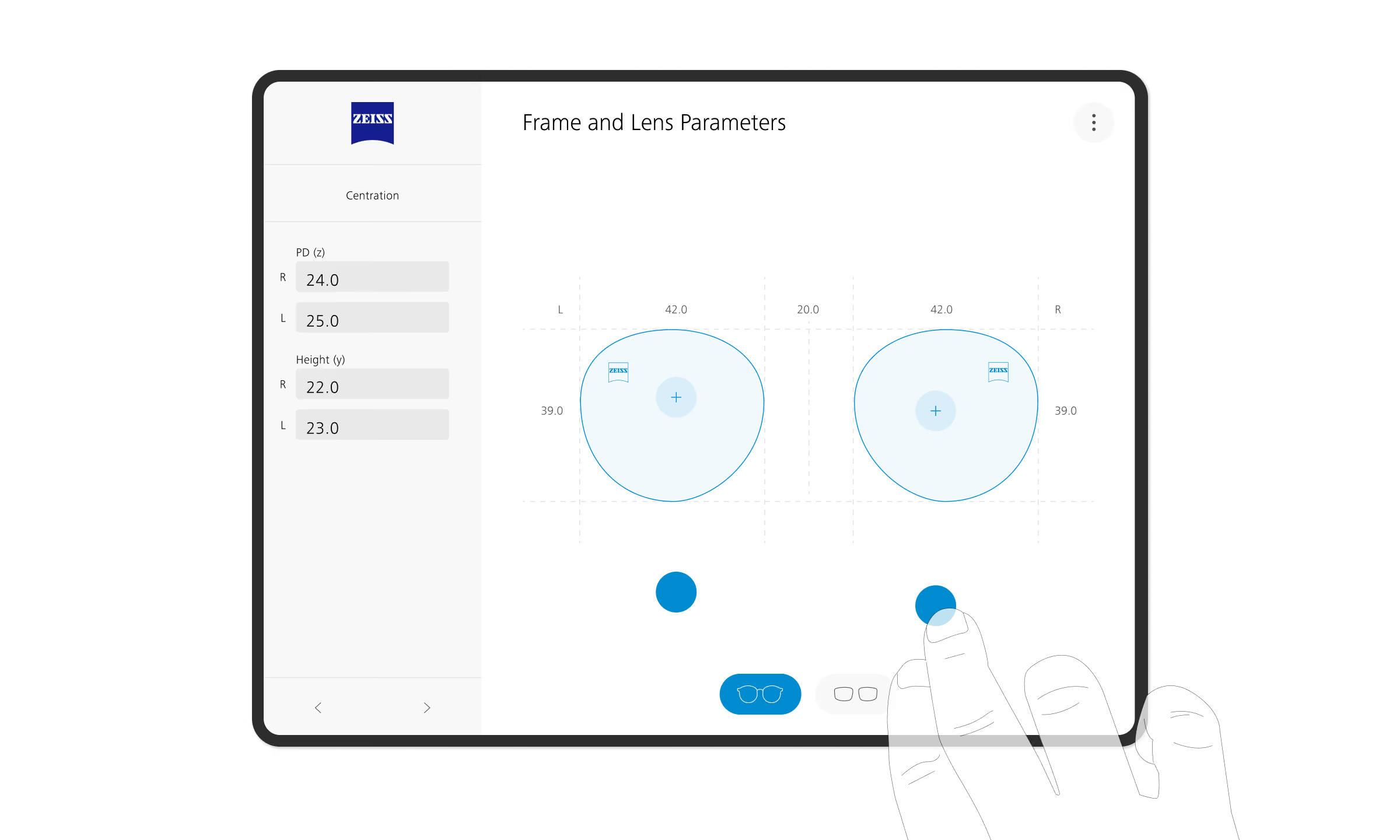
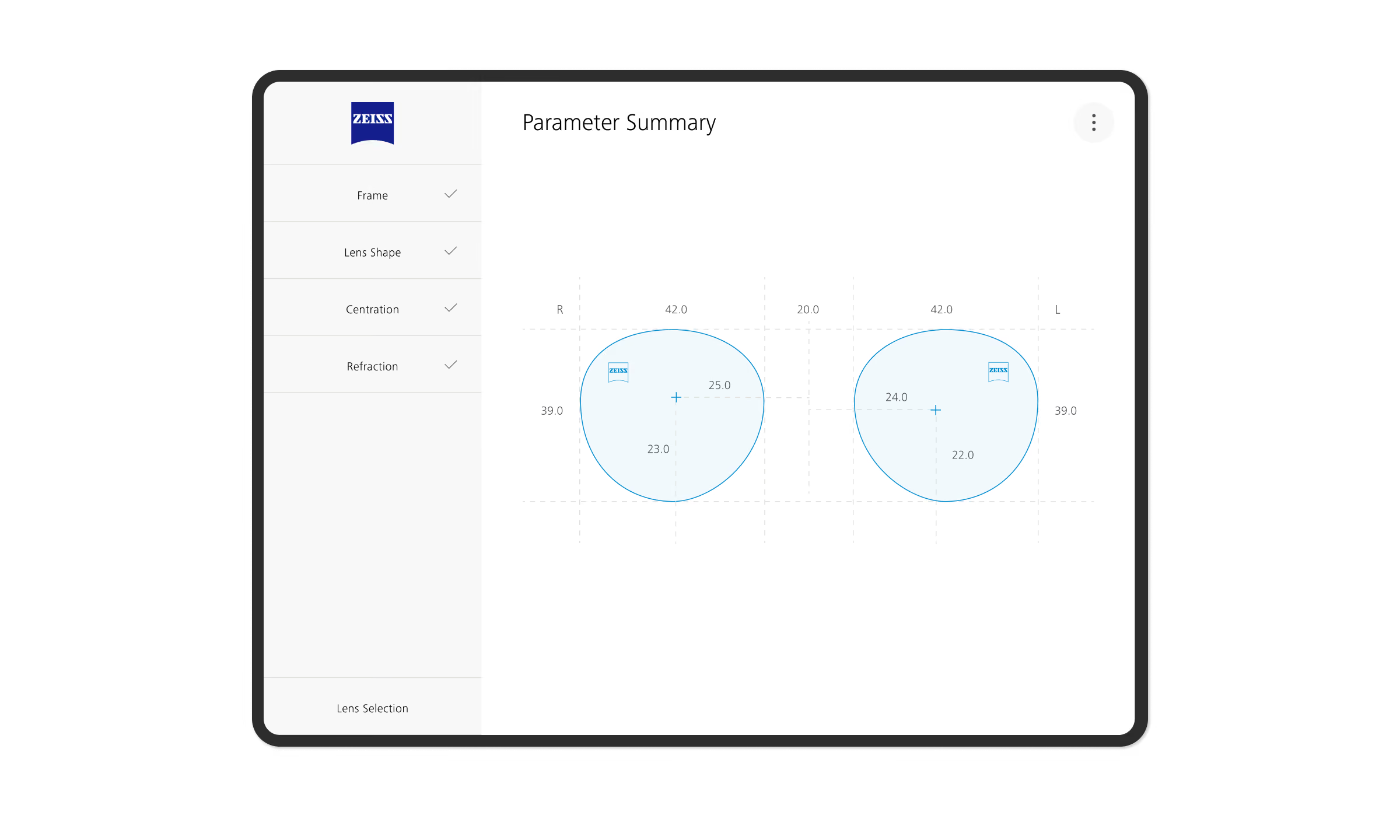
The optician is guided through three steps: Frame & Lens Parameters, Lens Selection, and Material & Thickness. From a clean start screen, measurements can be imported directly from examination instruments or entered manually using keyboard or touch interactions.
Physical frames or lenses can be placed on the tablet to capture dimensions such as width and height, as well as centration data. A clear 2D visualization keeps measurements accessible at a glance, while intuitive navigation and a distraction-free interface streamline the process. A summary screen concludes the parameter setup before moving on to lens selection.
Final Designs — Lens Design Configuration
Interface Evaluation of Current Platform

Interface Evaluation of Current Platform
Interface Evaluation of Current Platform
Interface Evaluation of Current Platform
Solution
Lens Selection, Material & Thickness
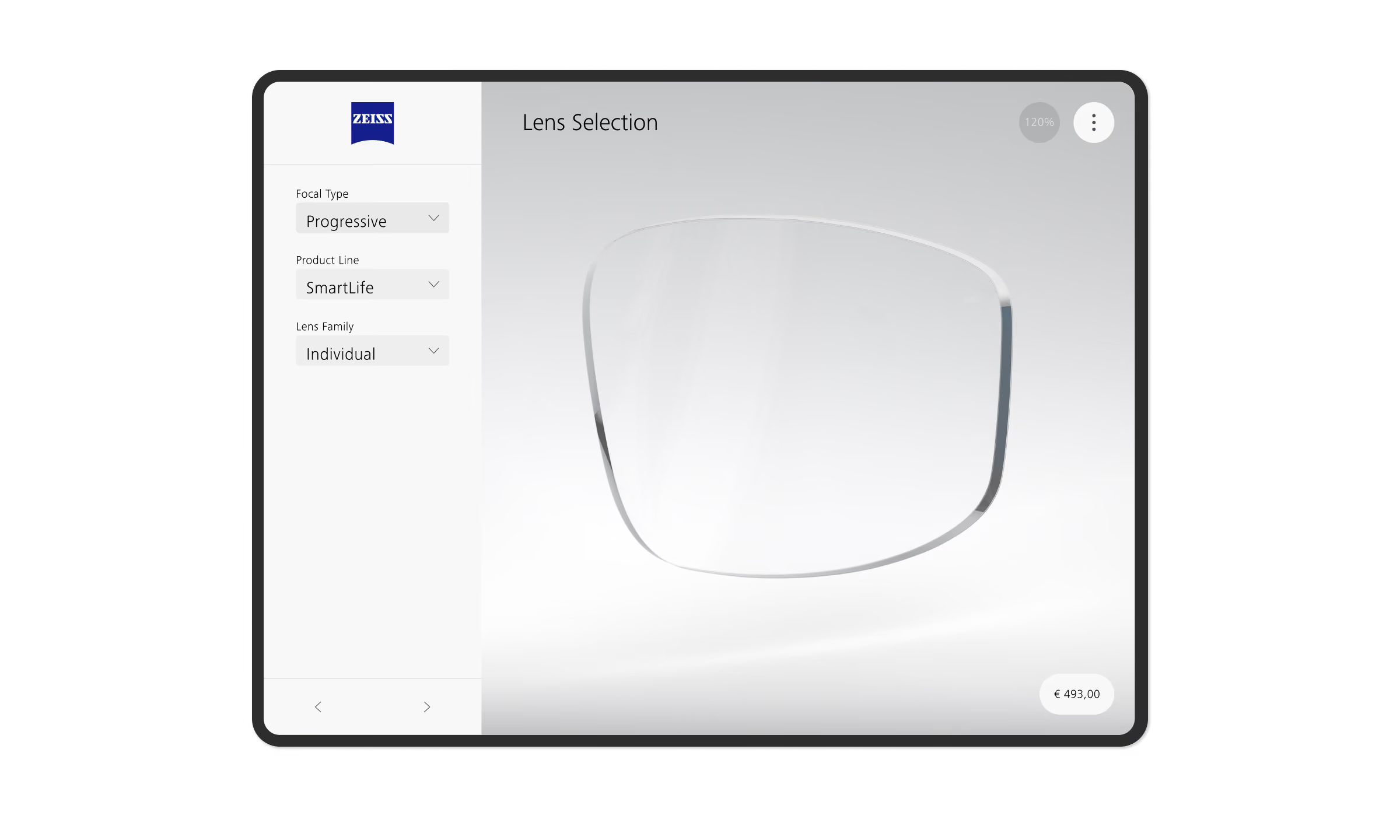
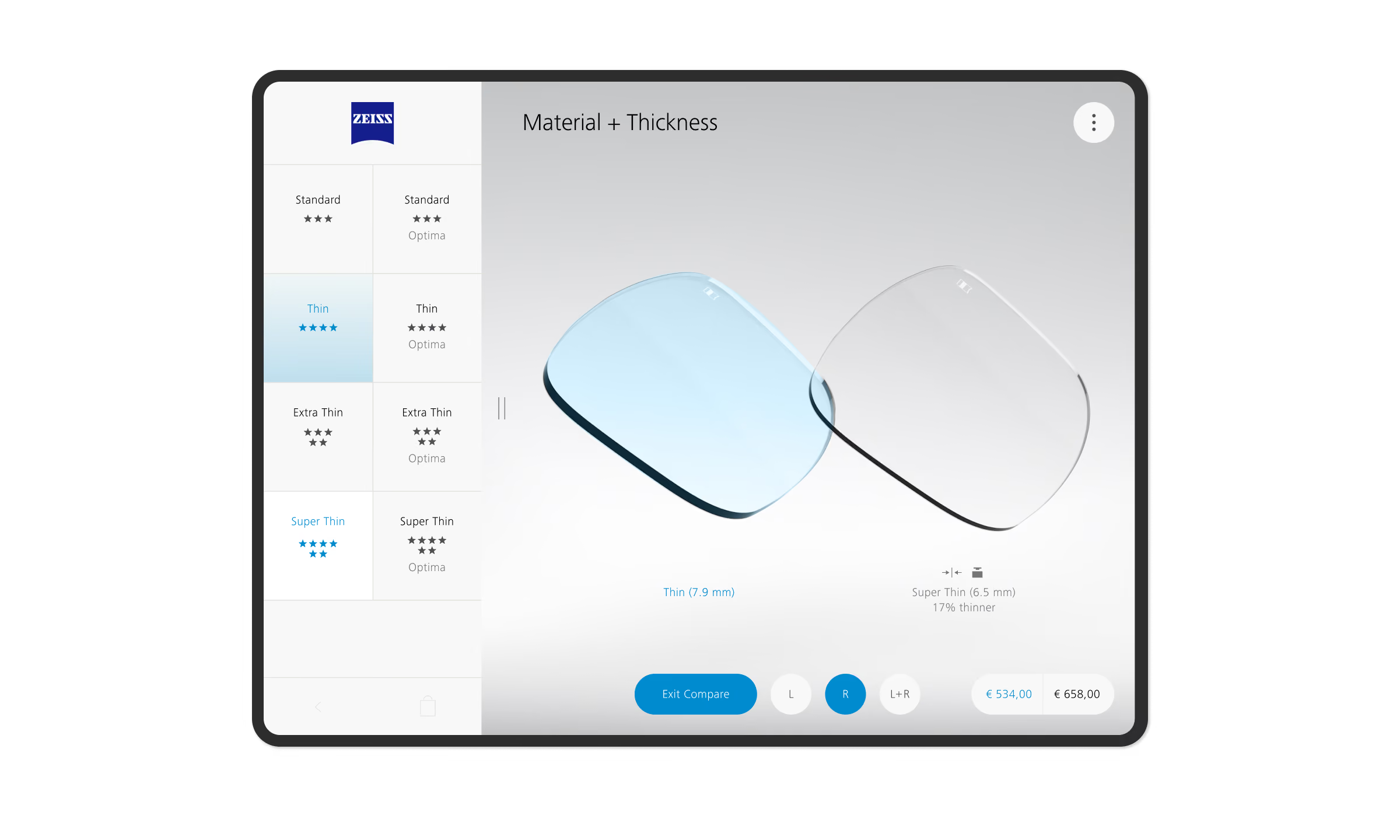
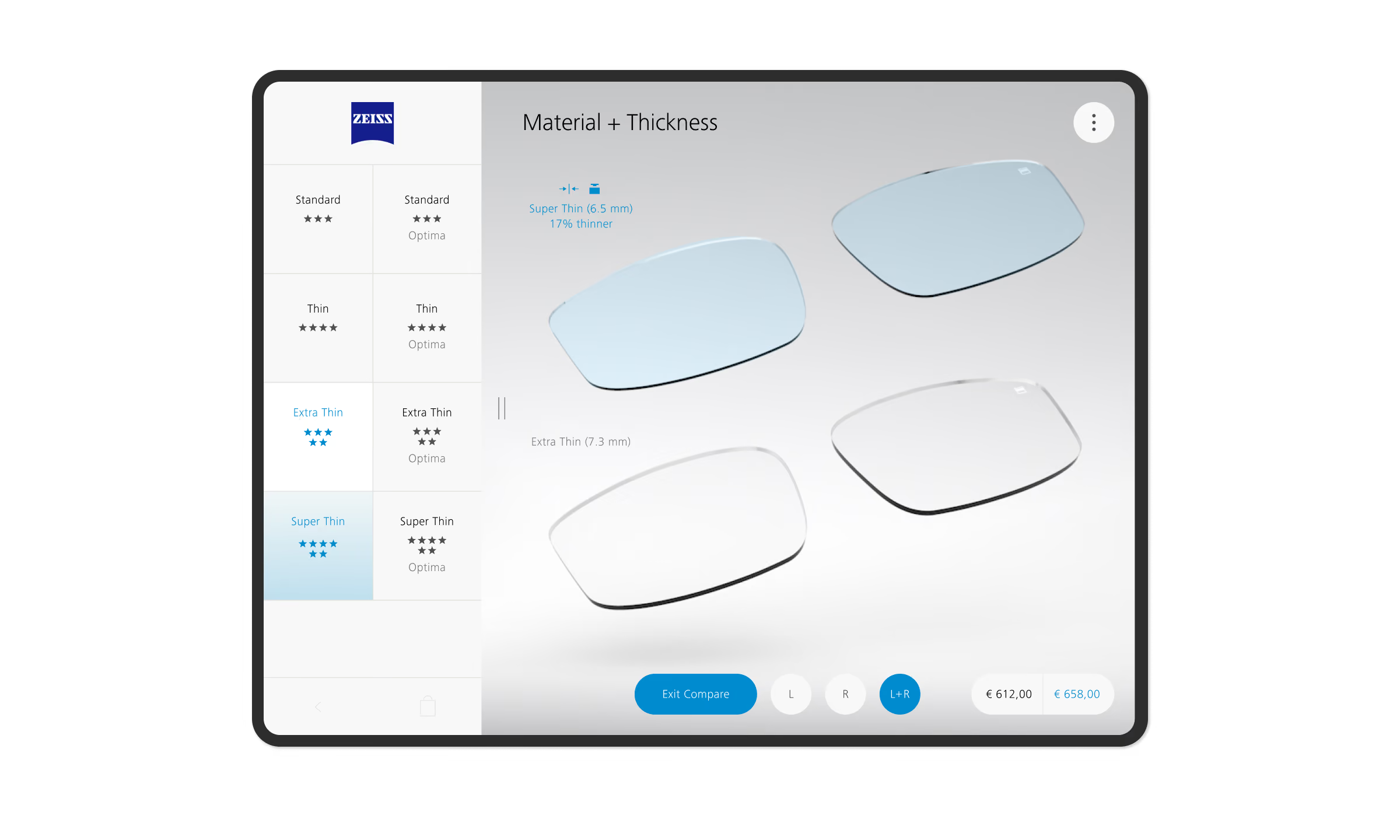
Once the parameters are submitted, a 3D lens rendering is generated based on the input data. The optician can then present and discuss the recommended lens types with the customer.
In the Material & Thickness section, users can explore predefined options, switch between single and paired lens views, enter full-screen mode, and interactively compare different thicknesses by rotating the 3D renderings.
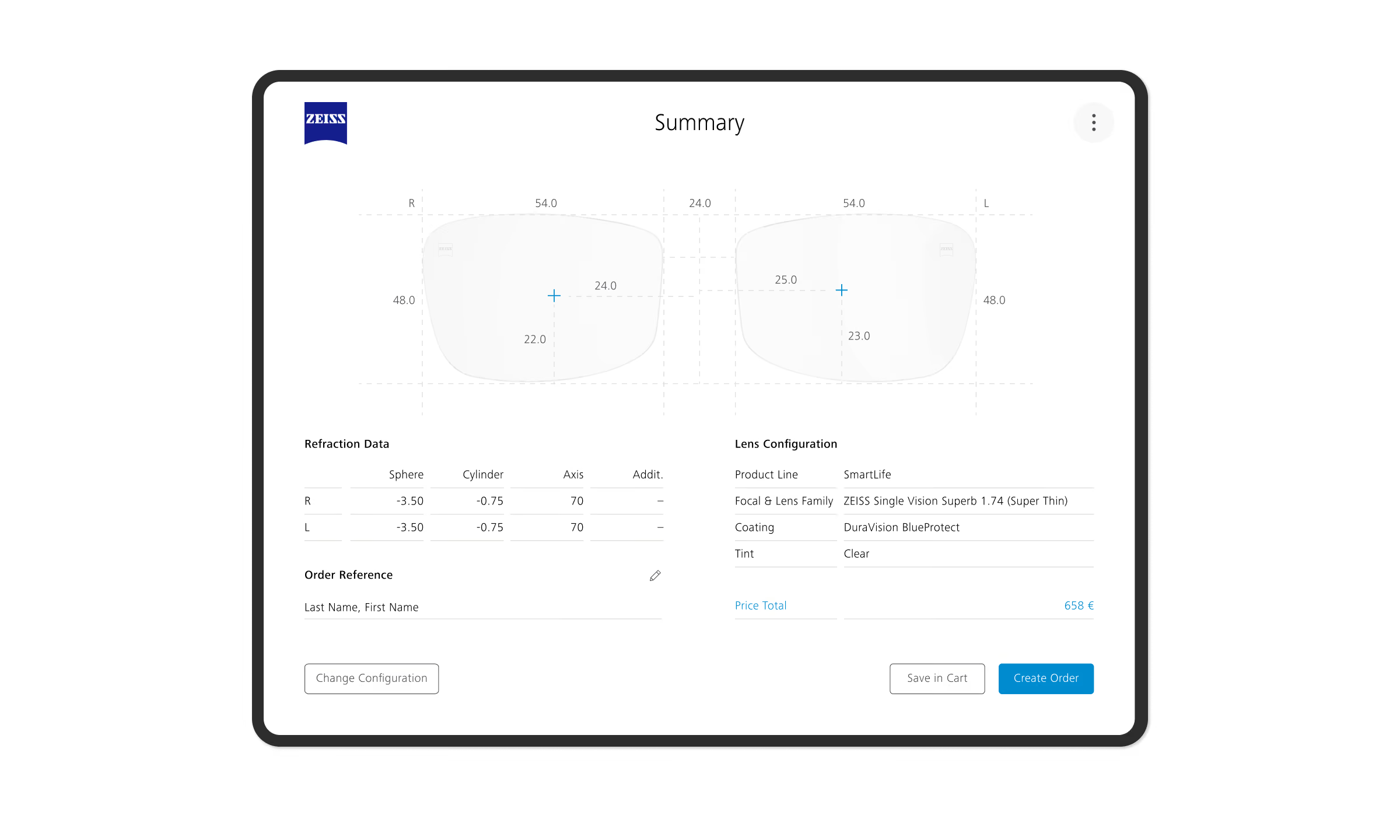
Once a lens is selected, all configurations are consolidated in a summary screen, where they can be saved for later or transferred directly to VISUSTORE for ordering.
Final Designs — Settings and Presets

Final Designs — Settings and Presets
Final Designs — Settings and Presets
Solution
Presets and Settings
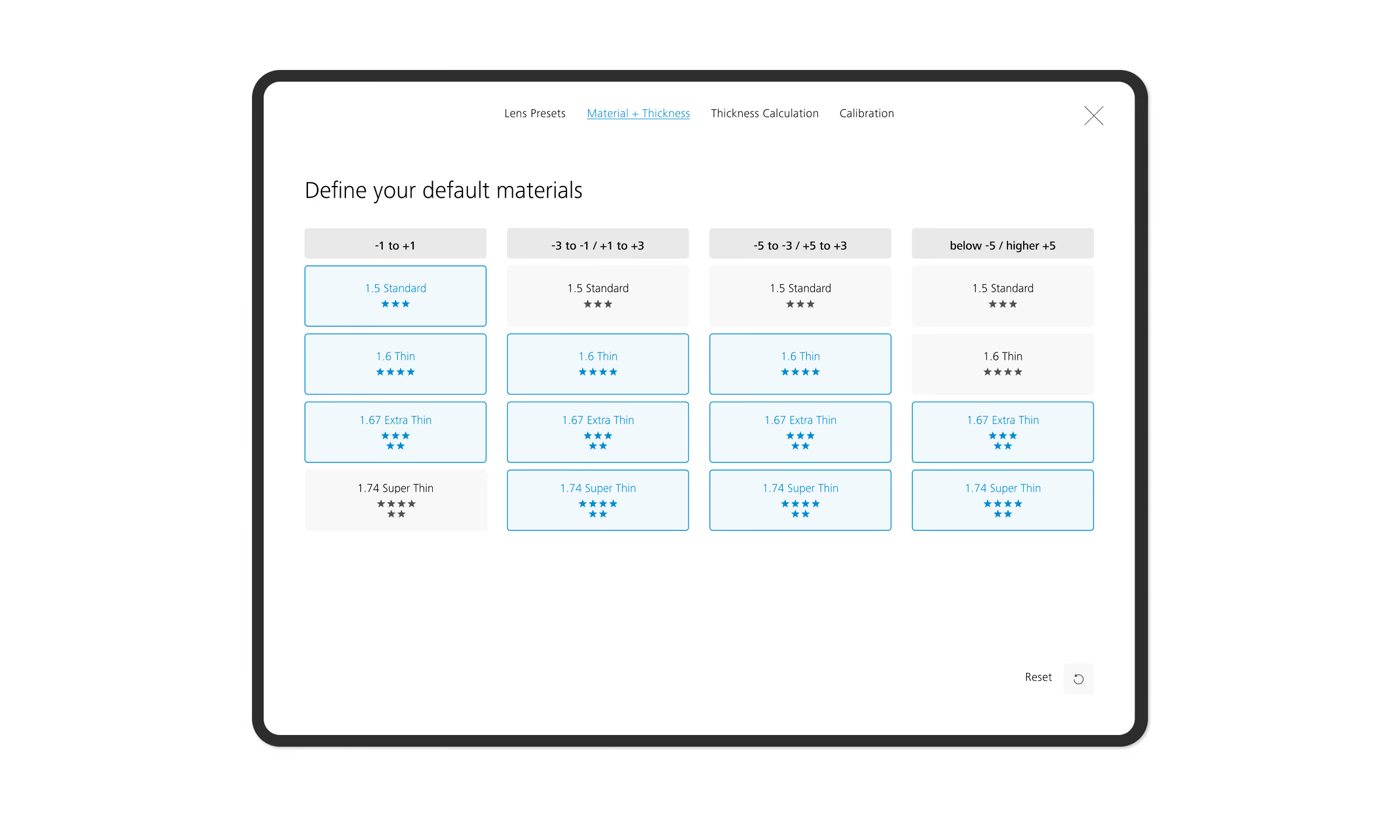
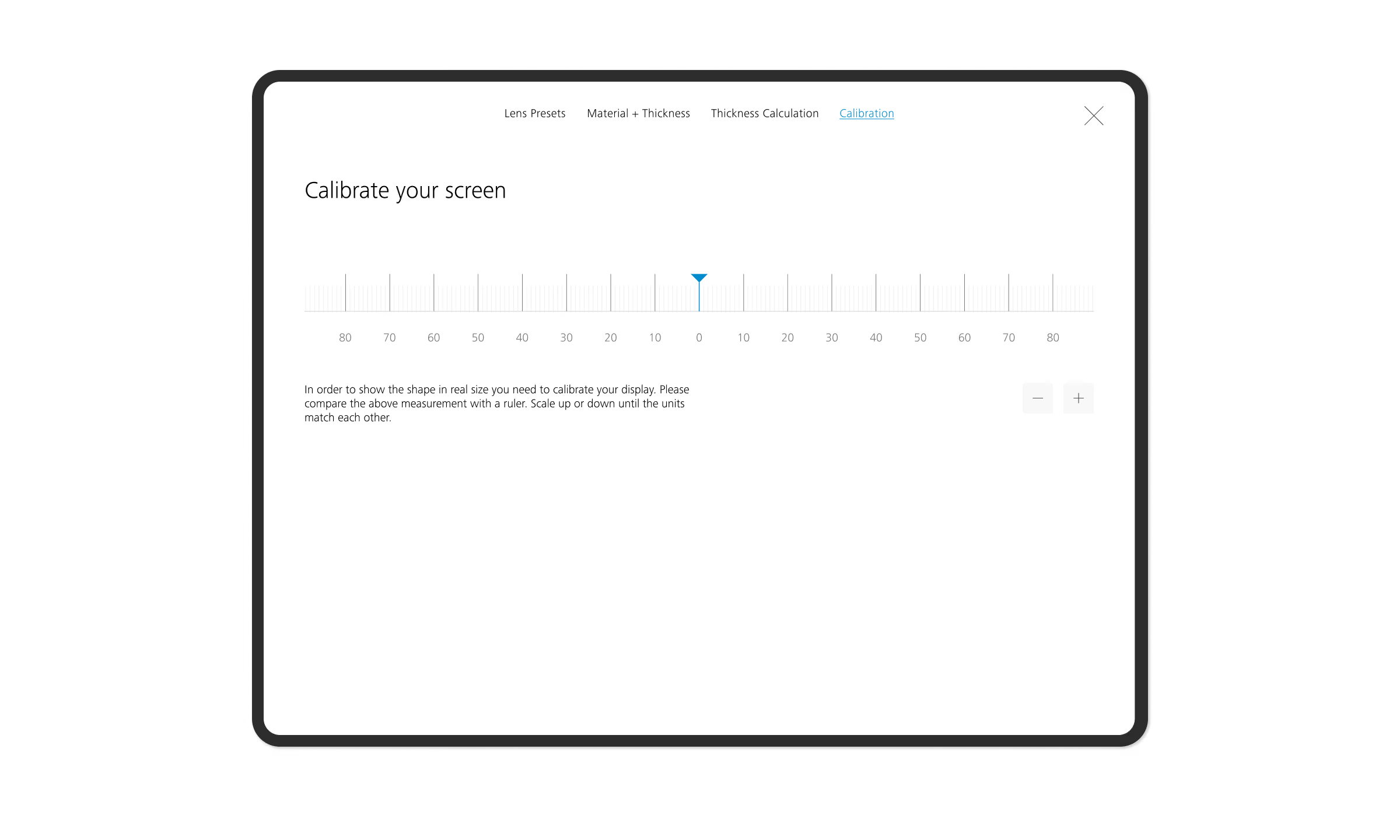
Since product offerings vary by country and store, opticians can configure their preferred presets and define which material and thickness options are available during consultations. Before starting a configuration, the tablet screen must be calibrated to ensure accurate measurements and visual representations.
The MVP was finalized and successfully implemented, followed by a review to identify further opportunities to optimize the interface and interactions.
Design Implementation Review

Conclusion
Learnings & Impact
This project demonstrated how interactive 3D visualization can transform complex lens specifications into a more transparent and engaging consultation experience. Through field research, iterative prototyping, and user testing, we learned the importance of simplifying workflows, ensuring accurate data input, and designing around opticians’ real-world needs.
The resulting MVP extends ZEISS VISUSTORE beyond ordering, enabling opticians to visualize, compare, and personalize lens options while supporting more informed purchasing decisions. By bridging technical complexity and customer understanding, the solution creates a more intuitive, personalized, and valuable in-store experience.